
Our Converter saves the documents in the XLSX format, which is compatible with Microsoft Office 2007 and later editions, or you can choose XLS format for earlier versions. It is a commonly used format for internet services, APIs, websites. The JavaScript Object Notation file can be used to store and configure data.
Arrow Electrical Services Rotating Machinery, Electrical Contracting & Mining Specialists Onsite maintenance, breakdown… By the way, you can also quickly export data from Excel to a text file by saving the .xlsx file as a .txt file. If done correctly, Microsoft Excel will open the .csv file, and the results will be the same as with the .txt file process. Make sure to change the file type in the Open dialog box to .csv instead of .txt.
How to Add Sticky Notes to Your Android Home Screen
Dropbox Paper is known as a file-sharing platform and that makes it a great note taking app for teams. It’s a collaborative workspace that helps teams create, share, and grow ideas. You can work with everything from video and images, to code and sound and it comes free with Dropbox. WorkFlowy is a simple but powerful free notepad app best for structuring your ideas. It allows for creation of transparent lists with subitems, titles, and a description.
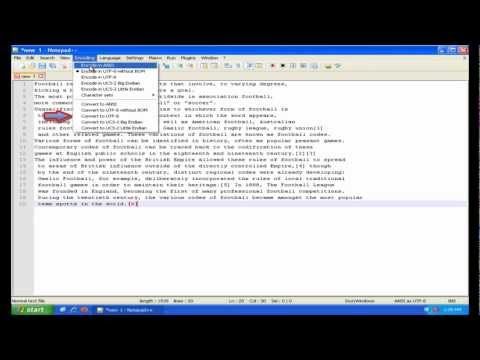
- This post will show you how to convert Notepad into Excel in the most efficient method possible.
- There are plenty of different notepad applications to choose from.
- I have already deveoloped Excel power query is available.
Sublime Text may be downloaded and evaluated for free, however a license must be purchased for continued use. There is currently no enforced time limit for the evaluation. In the next step, you can install Notepad++ using below given method depending on the linux distribution you are using.
Windows tools to open JSON file
XML is the default choice for data interchange because virtually every language has a parser for it. It is an application of SGML and was compiled by a working group of eleven members. Its first draft was published between August and November 1996 at Sun Microsystems, and the first version of XML was released in February 1998.
How to Recover Unsaved or Deleted Notepad TXT Files?
Your new folder then appears with all the notes with that tag. Whenever you create a new note and use that tag, it automatically gets added to this folder. Once a tag has been created, a Tags section on the main Notes screen will appear. From here, you can tap All Tags to see every note with a tag or select a specific tag to see just those notes. For individual notes, tap the Share icon in the upper right to add more people, change or remove access for existing recipients, highlight any changes made, and manage alerts.
They also offer a free version to let users get the hang of it. Paid versions are usually packed with a host of features at an affordable price. Created notes cannot be saved within the app but can be downloaded as documents on the system.
Press the “X” button to clear the note search, and view all notes as usual. Notion works similarly to OneNote, in that each piece of content is enclosed within a drag-and-drop block. One feature we find impressive is that the Android app is capable of handling all kinds of content blocks, from text to checklists to TeX and code. There’s also a built-in web clipper, markdown support, Kanban boards, spreadsheets, and databases. Notion has managed to create an mobile device app that’s truly a powerhouse in functionality https://cashewcorporation.com/choosing-the-right-version-of-notepad-for-your-4. Not to mention that Notion works on iOS, MacOS, and Windows.